Read a member's page: votes, bills, committees and news
On this page
Every member of Congress has a page that puts their record in one place: who they are and how to reach their office, how they have voted in this Congress, the bills they have sponsored and cosponsored, the committees they sit on, and the coverage that names them.
Open a member's page from the Members lists, from a vote, a bill or a committee page, or by searching for their full name.
#The top of the page
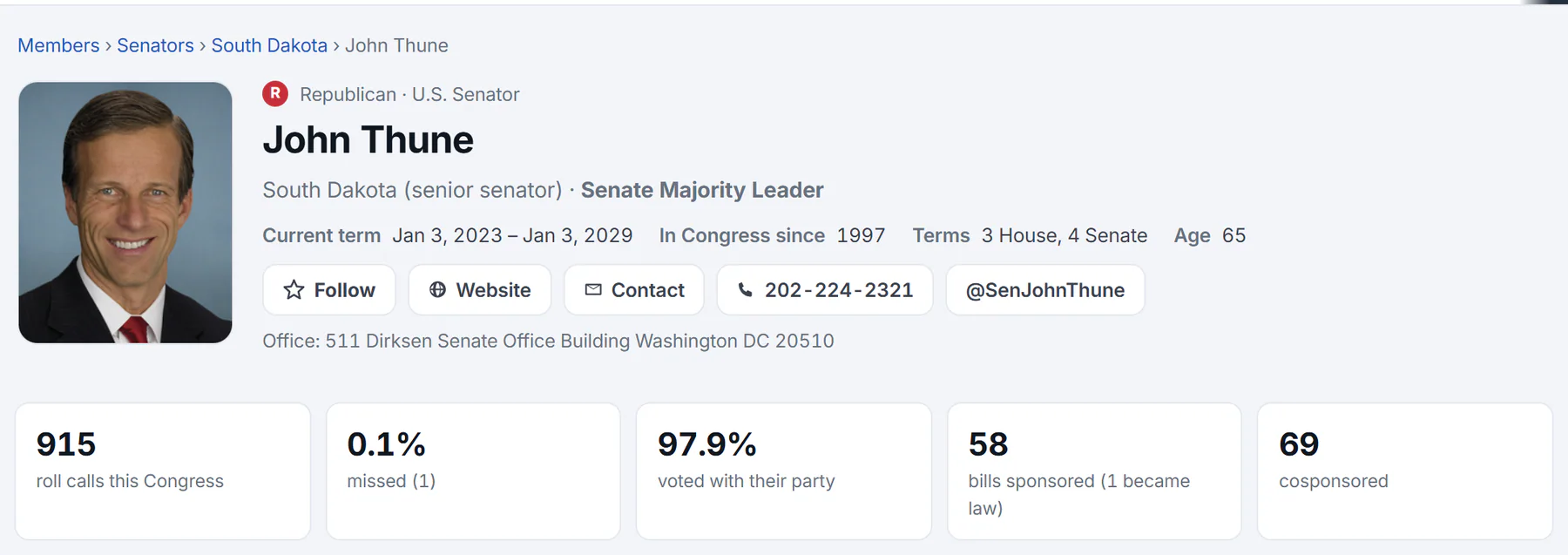
The top of a senator's page, with the record at a glance.
- 1Party and office
- 2The seat, and any leadership post
- 3Term, years in Congress and age
- 4Follow, website, contact and phone
- 5The record this Congress
The first part of the page tells you who the member is:
- The party mark and name, with the office: U.S. Senator, U.S. Representative, Delegate or Resident Commissioner. A member who has left office carries a Former member tag. For an independent, the page notes which party they caucus with.
- The seat, such as a state and whether the member is its senior or junior senator, or a House district, and any leadership post.
- Current term, In Congress since, Terms in the House and the Senate, and the member's age.
- Buttons to Follow the member, open their Website, reach their Contact page, call their office, or visit their account on X when they have one, and a line with their office address.
Below that is a strip of five numbers about the current Congress:
| Number | What it counts |
|---|---|
| roll calls this Congress | The recorded votes in this Congress that the member could have voted in. |
| missed | How many of those the member did not vote on, as a percentage and a count. A roll call is missed when the member is recorded as Not voting. The page does not say why. |
| voted with their party | How often the member's Yea or Nay matched the way most of their party voted, counting the votes where their party had a majority position. An independent is compared with the party they caucus with. |
| bills sponsored | Bills the member introduced this Congress, and how many of them became law. |
| cosponsored | Bills the member added their name to this Congress. |
These numbers describe the record. They do not say whether a member is doing a good job, and a high or low figure can have many causes. A procedural vote counts the same as a final vote on a major bill.
#Votes
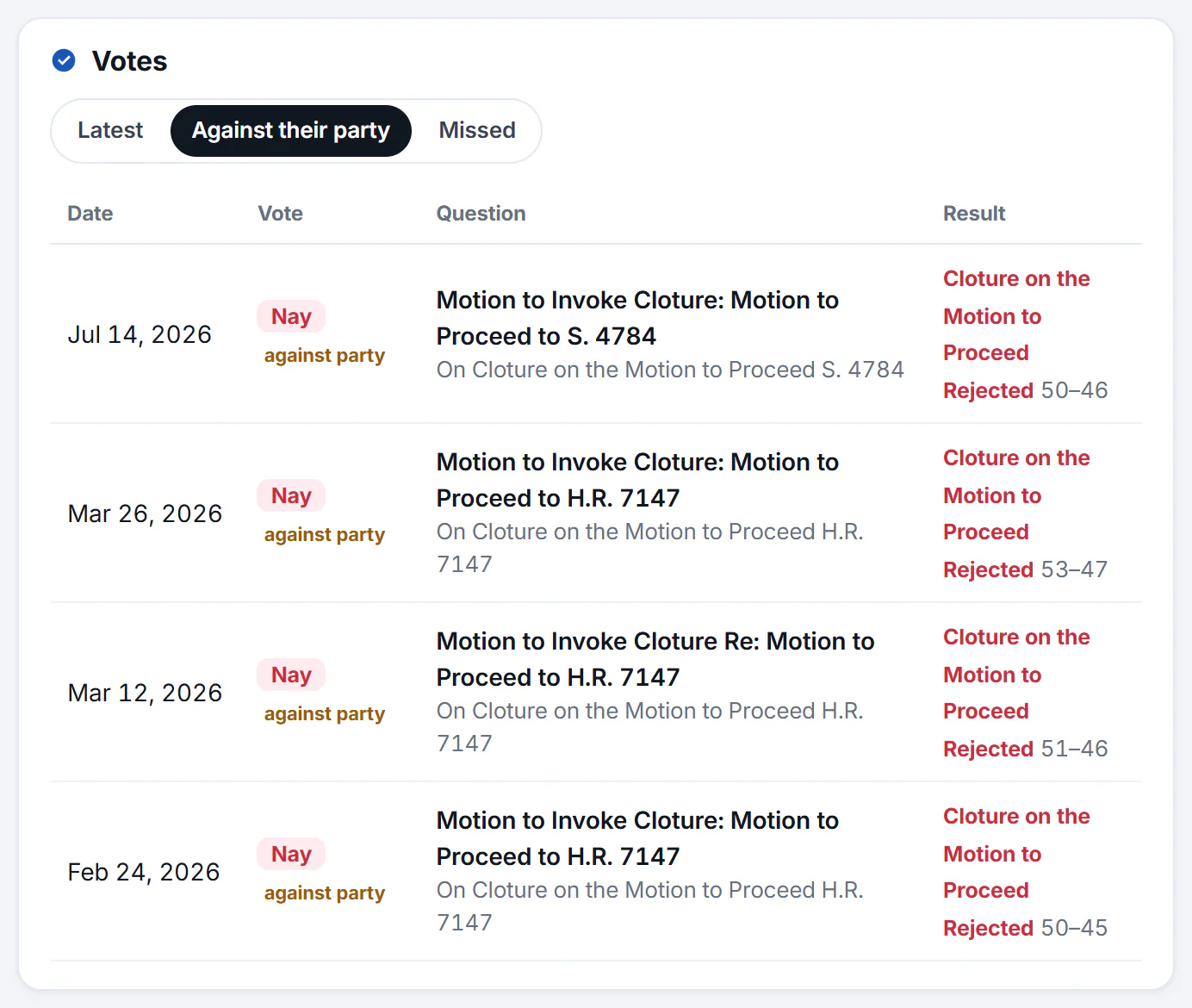
The Votes card on a member's page, switched to votes against their party.
- 1Switch between all votes, votes against their party, and missed votes
- 2How the member voted
- 3What the vote was about: select it to open the vote
- 4The result and the tally
The Votes card lists the member's votes, newest first. Each row shows the date, how they voted (Yea, Nay, Present or Not voting), what the vote was about and the result with its tally. Select the title to open the vote page.
Three tabs change what the card shows:
- Latest: every recorded vote.
- Against their party: only the votes where the member voted the opposite way from most of their party. Each shows an against party tag. The tab tells you how the vote compared with the party's, not why the member voted as they did.
- Missed: only the roll calls the member did not vote on.
Use Older at the bottom to go further back, 20 votes at a time.
#Bills
Below the votes are Bills sponsored, the member's most recent sponsored bills, and Recently cosponsored. Each bill shows its number, its status and its latest action, with a star to follow it. When the member has sponsored more than 10, All opens the Bills page filtered to that member. Select a bill to read its page.
#The side column

The side column: news mentions over 30 days, committees and outside sources.
- 1Mentions in political news, last 30 days
- 2Headlines that name the member
- 3Committees the member sits on
- 4Outside sources: biography, campaign finance
- Prediction markets appears when there is a market on the member's seat or one that names them. A link opens the member's race page when their seat is up at the next election.
- In the news shows a bar for each of the last 30 days and the total number of mentions in political news in that time, then the newest headlines that name the member. Search opens a Politics search for their name.
- Committees lists the committees and subcommittees the member sits on, with a tag for a role such as Chairman. Select one to see who else sits on it. See Committees.
- More about links to outside sources: Wikipedia, Ballotpedia, the Congressional biography, campaign finance records at the Federal Election Commission, and GovTrack, when the member has them.
#Common questions
What does "voted with their party" mean?
It compares each of the member's Yea and Nay votes with how most of their party voted on the same roll call. If most Republicans voted Yea and the member voted Yea, that vote counts as with their party. Votes where the member did not vote Yea or Nay, or where their party had no majority position, are left out. For an independent, the comparison is with the party they caucus with.
What counts as a missed vote?
A roll call on which the member is recorded as Not voting. A member who answers Present has voted. The page does not give the reason a vote was missed.
Why does the page show only this Congress?
The counts and the Votes card cover the current Congress, the 119th, which began in January 2025. Politics does not hold votes from earlier Congresses.
Why does a member's page say Former member?
The member served in the current Congress and has since left office. Their votes while serving are still on the record.
Why do the numbers differ from what I have read elsewhere?
Sources can count differently: which votes are included, how independents are compared and how a vote is classed as missed. On Politics the definitions are the ones above, and the votes behind the counts are listed on the page.